
Product Design

Weathy

A simple and stylish weather tracker
Project Overview
Weathy is a combination of convenience, brevity, and beauty. This application won't only show you the current weather but will also help you choose comfortable clothes, and remind you to take an umbrella or use SPF cream. A little helper on your smartphone.
My role
Competitor analysis
Secondary research
User interview
Customer jorney map
App map
Wireframing
Visual design and prototyping
Problem
Currently, 80% of weather forecasting programs in the AppStore and Google Play Market have good functionality, but not user-friendly interfaces or outdated visual concepts. I was interested in creating this project for the development of improving UX design skills based on real user needs.
Solution
Conduct research to develop applications and choose the most features, exclusively with those that combine with other applications. Create a program based on real user needs.
Competitive analysis
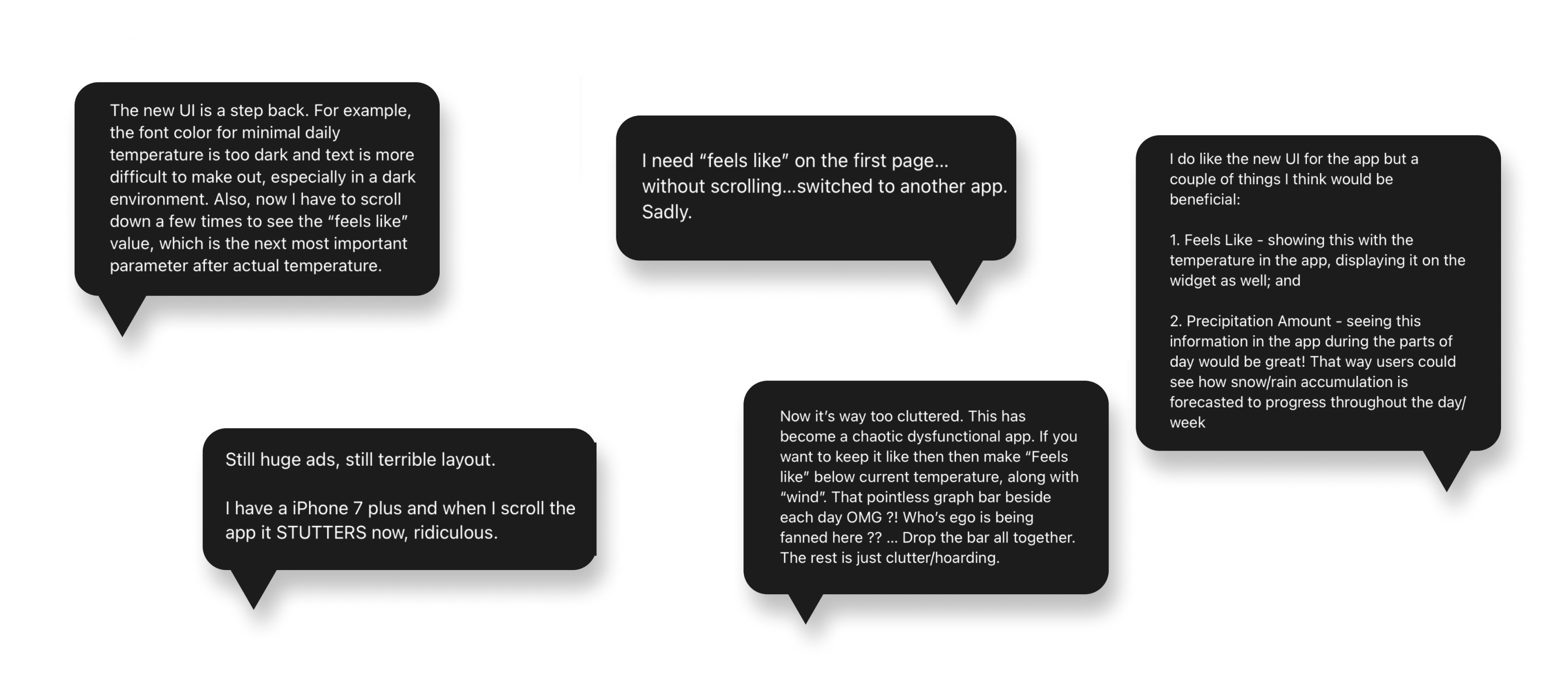
I wanted to make this application a convenient assistant for every day, not just a typical weather application. I researched competing applications, moved into their functionality, and investigated the problems users faced to avoid them in our application. Analyzing user feedback from AppStore and Google Play Market I found the main reasons why users abandon programs. For example, people don't like to do a lot of action to find basic information. Weather apps need to be very easy and clear. In the picture, you can find people's opinions what I find about different weather applications.
Define Discover
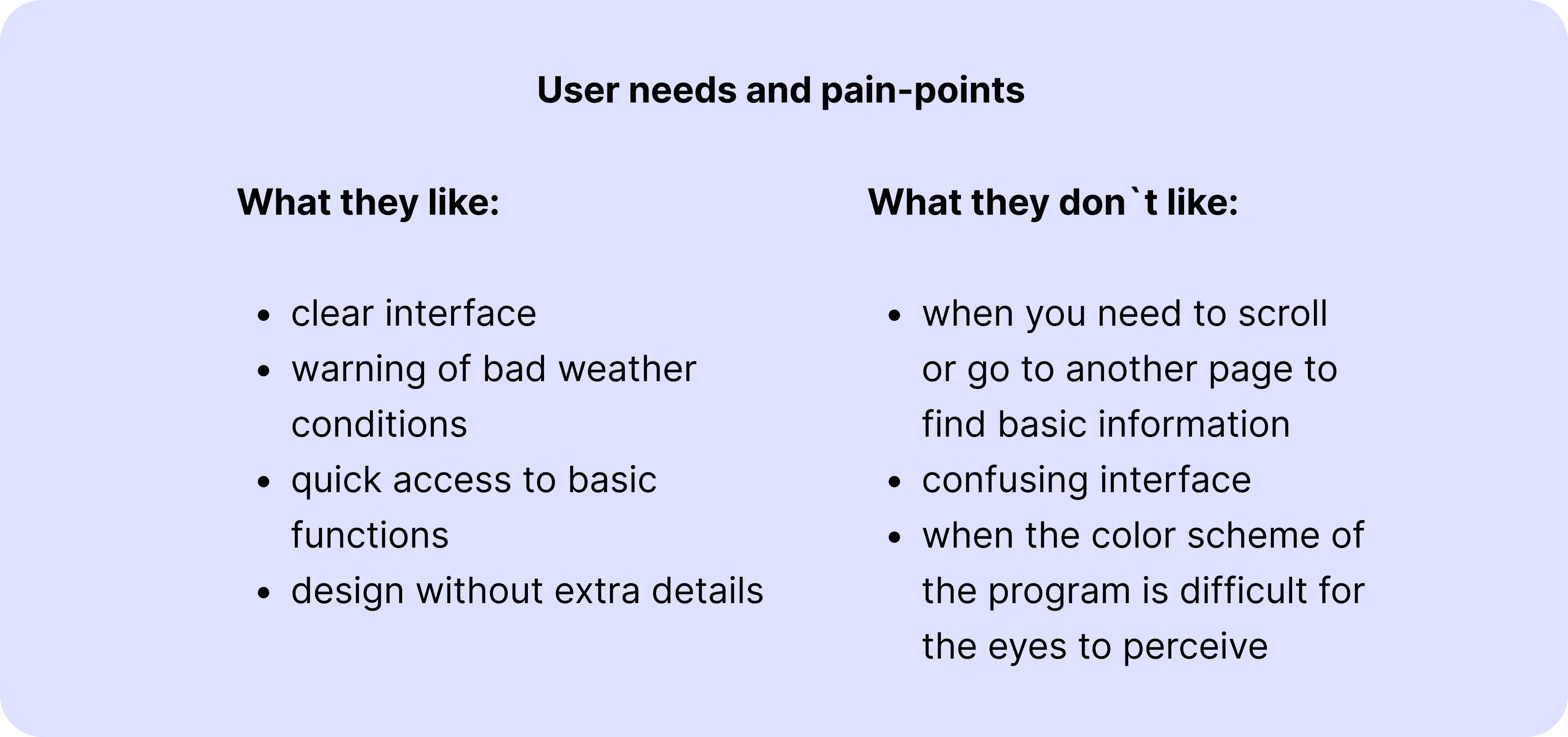
Based on the obtained results in competitive analytics, I conducted surveys with users to gain a deeper understanding of their needs. Asking them about their habits in using weather apps and websites. I also asked them about their history with the app and attempted to find out what they found useful and irritative about other apps on the market and their functionality. So I got main user needs and paint points thought this.
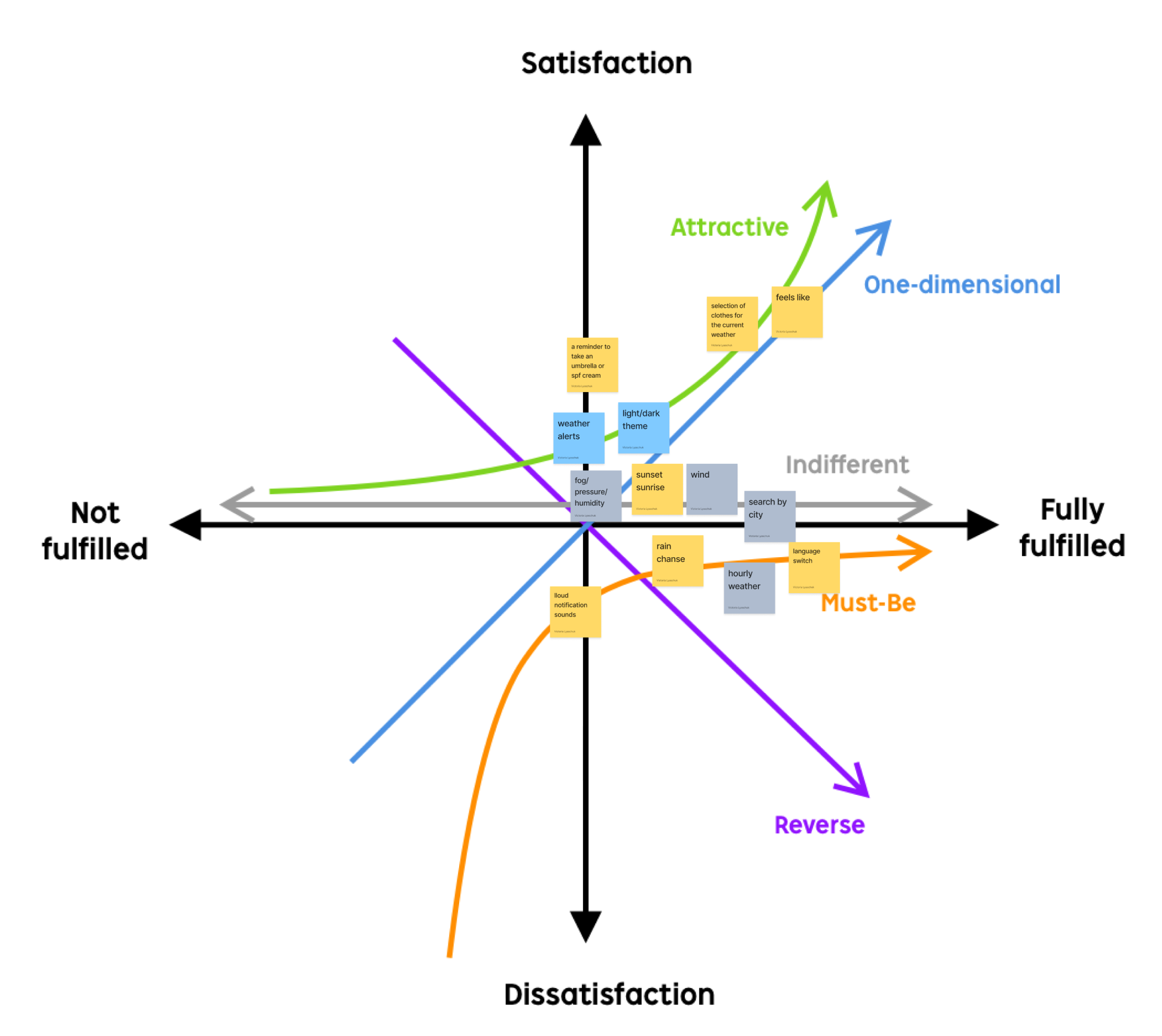
In the process of research, I found a lot of opinions on what a handy weather app should be. Based on this, a list of all functions that can be used in such an application was created. I used the Kano method, prioritizing features on a product roadmap based on the degree to which they are likely to satisfy customersto determine which features will satisfy and even delight customers.

According to the research, the most valuable features that people want to see in the app are:

- “feels like” on the main page without scroll
- light/dark them
- hourly weather
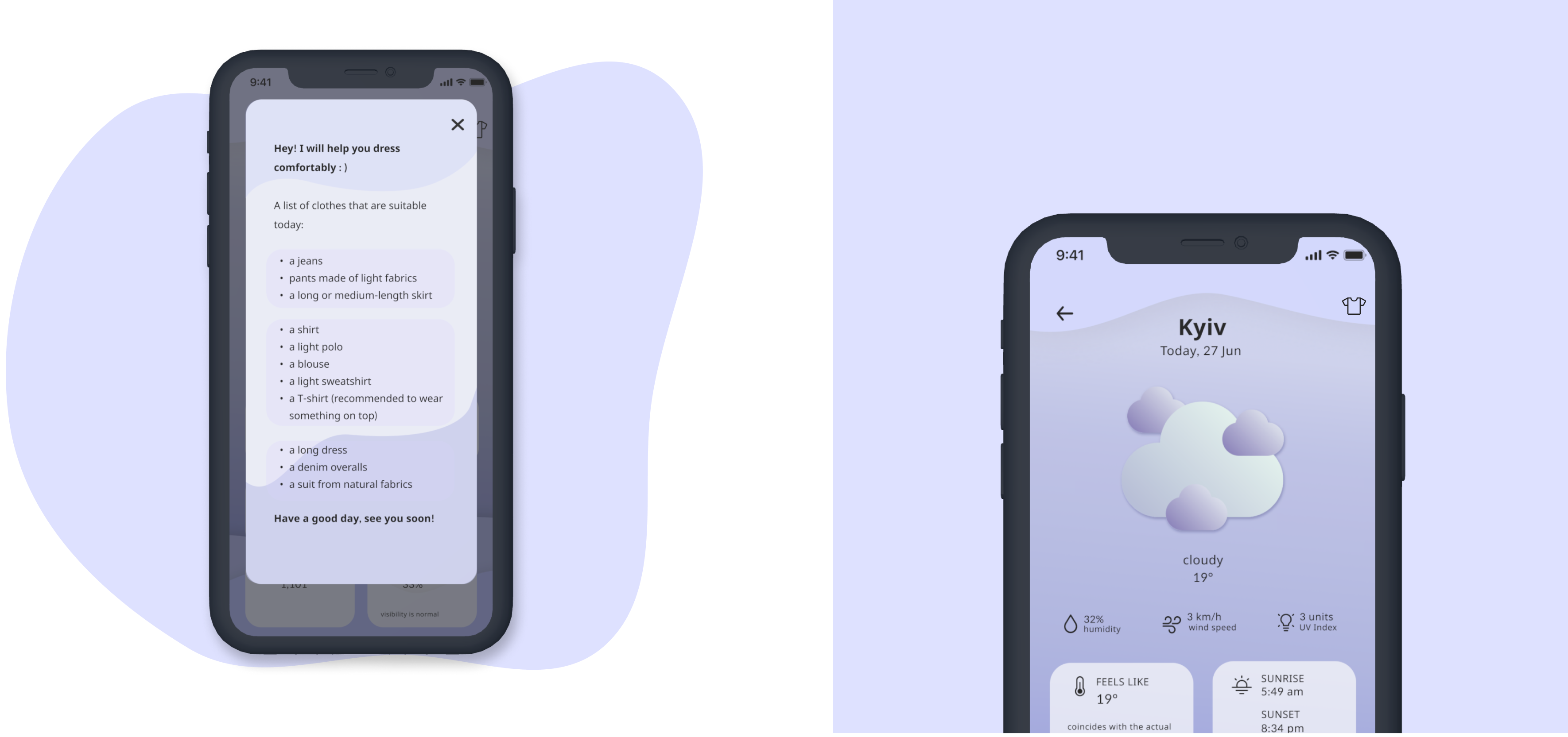
- selection of clothes for the current weather
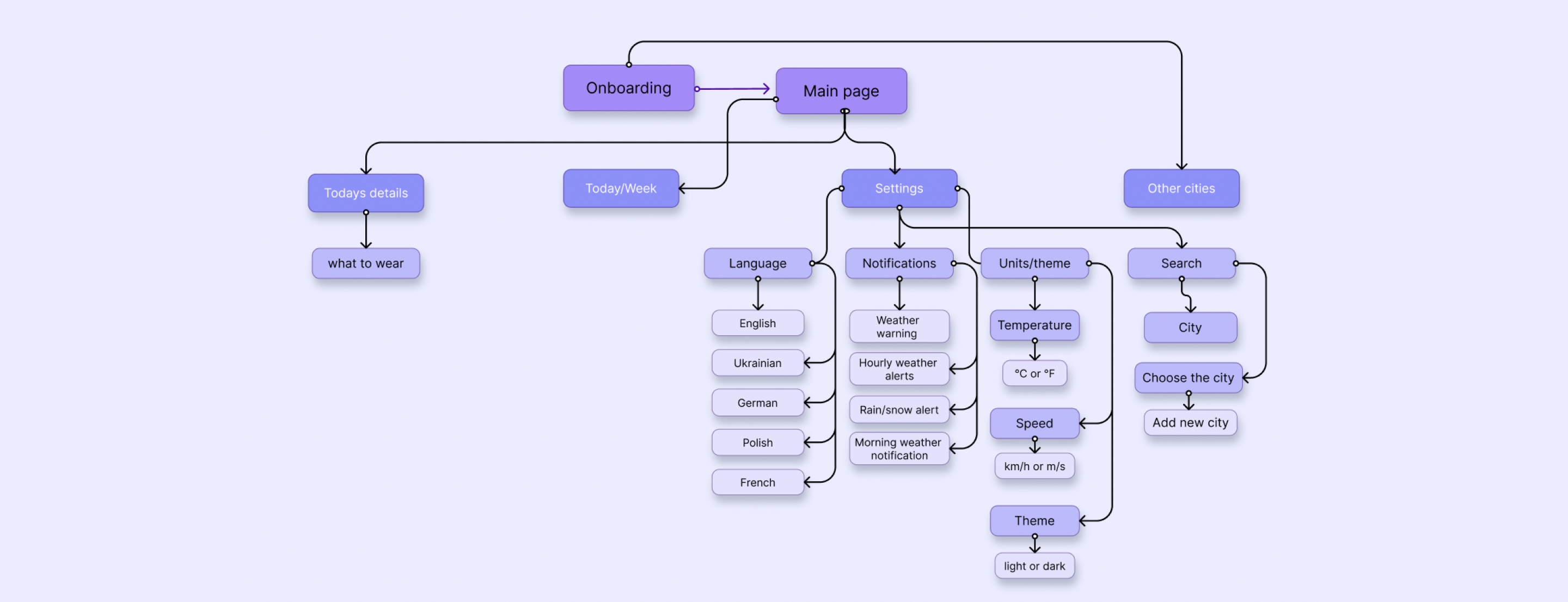
After receiving the results of the research and determining the main functions that should be present in the application, I developed an information architecture that will help the user easily and quickly find the necessary information. The user can find all the main functions on the main screen and quickly perform the desired action.
Informational architecture
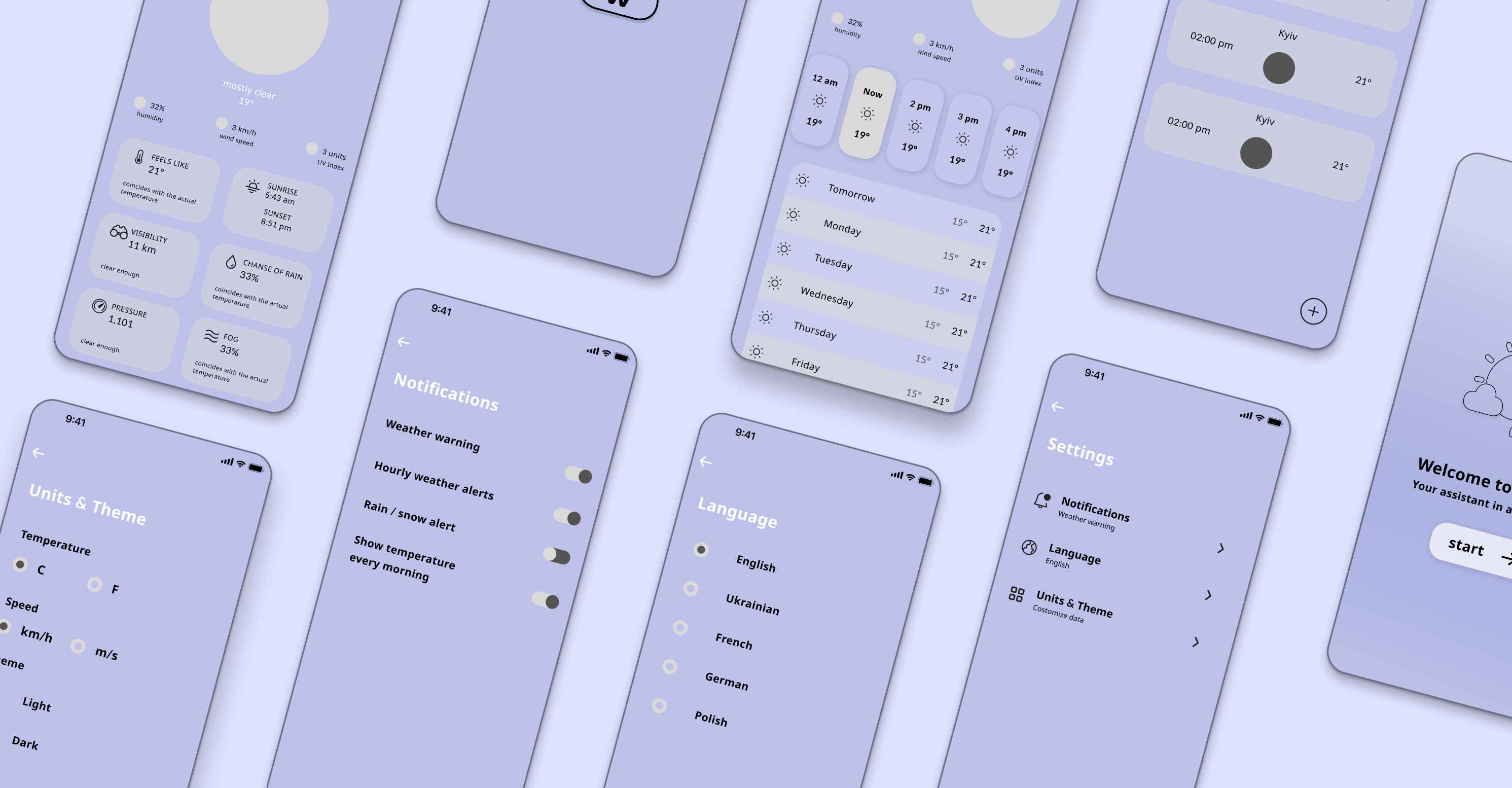
Lo-fi wireframes and visual concept

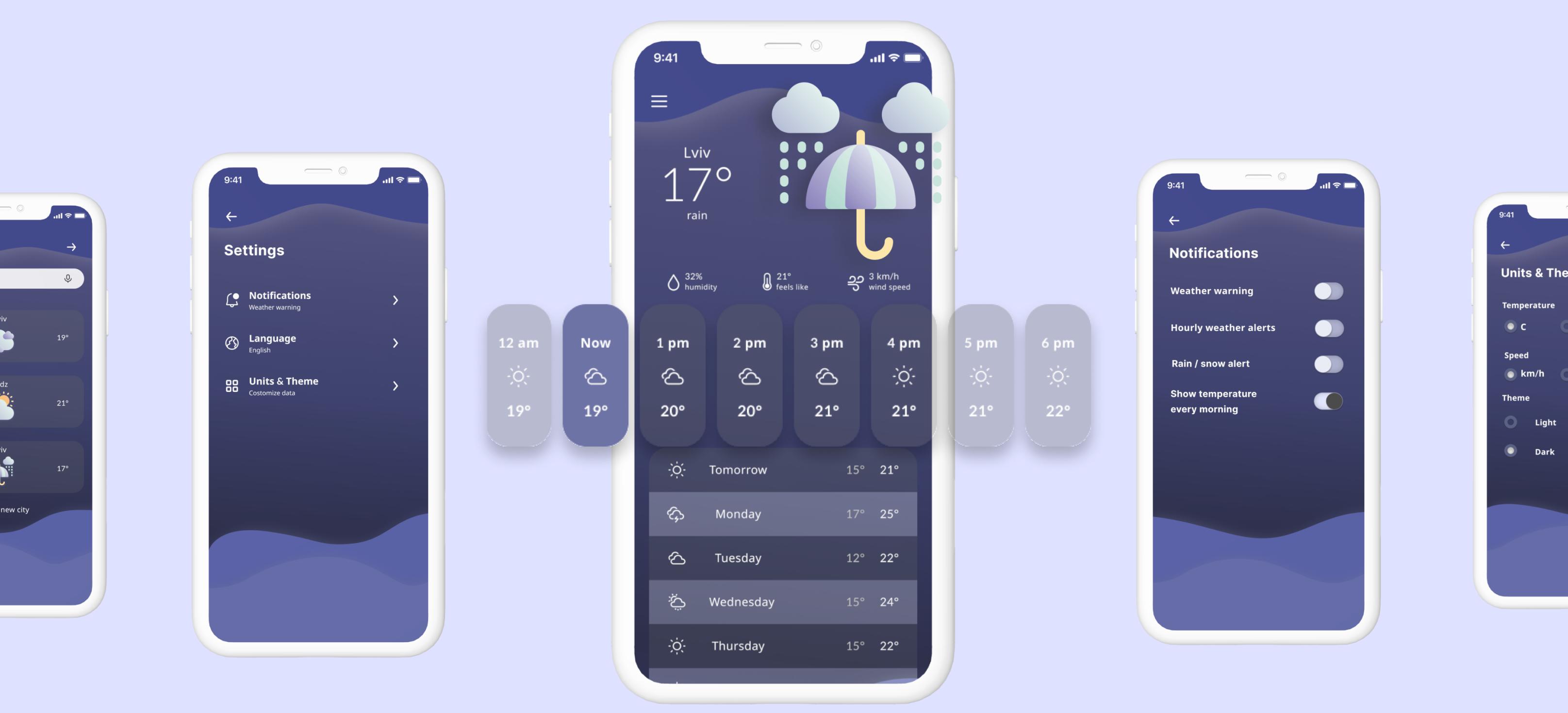
This app is designed for different target audiences, I decided that the design should be simple enough to quickly and efficiently satisfy the user's needs. The selected colors are easily distinguishable in any lighting, as well as changing the day and night theme allows the user to choose which version of the program is more convenient for him to use. After usability testing, based on the comments I received during the process, I decided to change some details to improve the user experience. The size of the switches was made larger so that it was easier to click on them. Also, the functions that are more important for users have been prioritized.

Click here to try Lo-Fi prototype.
Final design

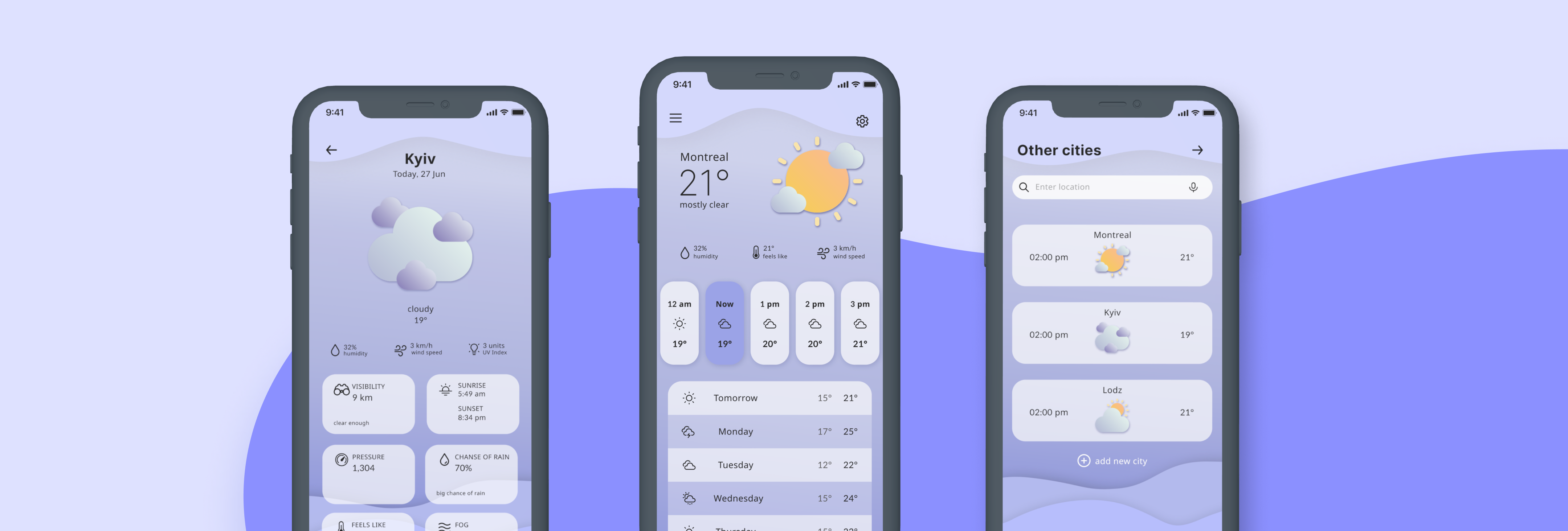
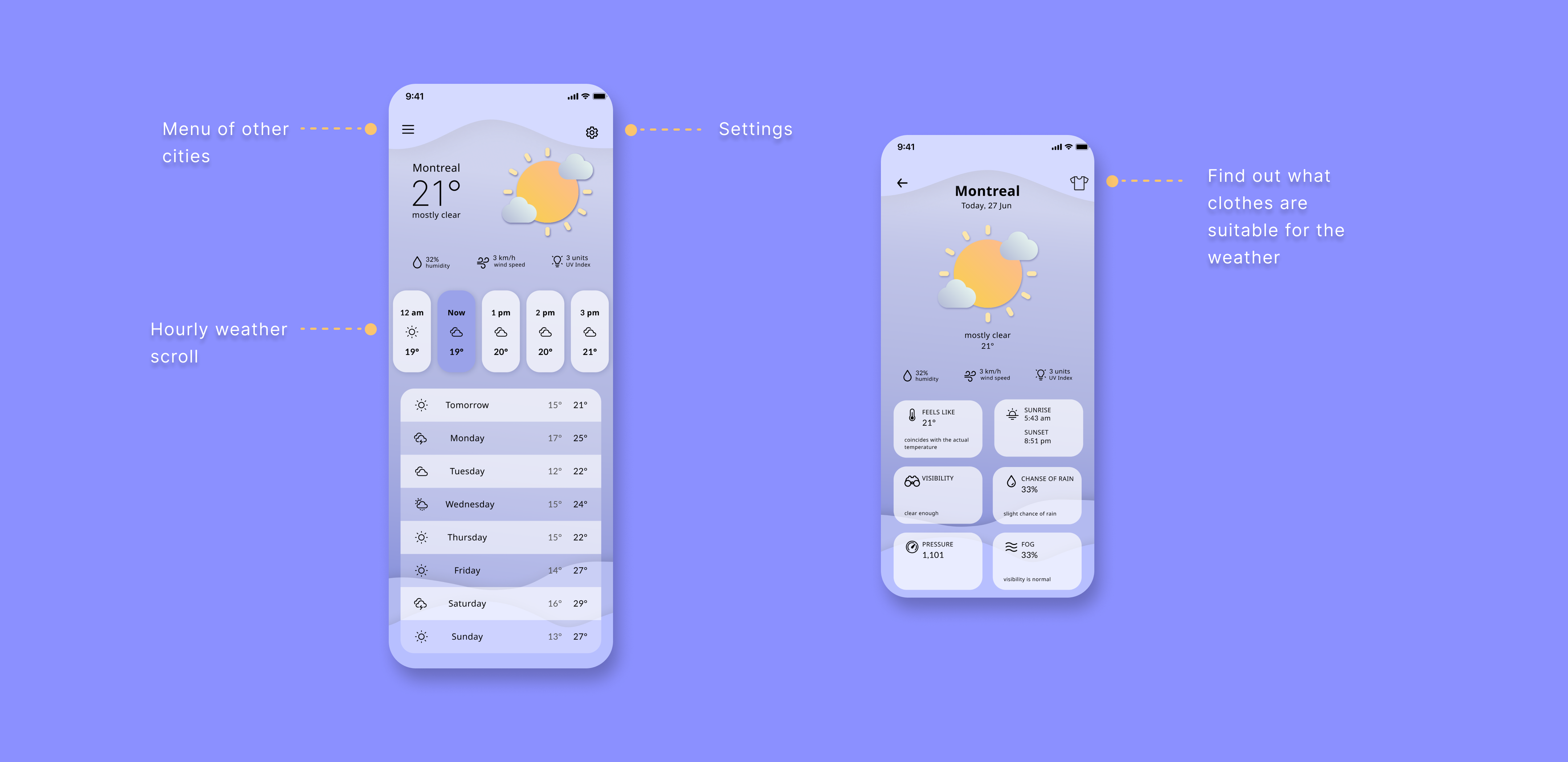
In the final design, I made the decision to use purple colors as they effectively convey the app's concept. The color scheme was chosen to ensure the app is both visually appealing and easy to navigate. Based on user feedback from interviews, I added all of the most popular functions and information to the main screen, which users found to be the most relevant. By clicking on the icon that displays the current weather conditions, users can quickly access more detailed information about the weather, such as temperature, humidity, wind speed, and precipitation. The app's interface was designed to be user-friendly, with easy-to-navigate menus and buttons. The layout was optimized to ensure that the most important information is prominently displayed and easily accessible.

Click here to try the final prototype.
Design desicions

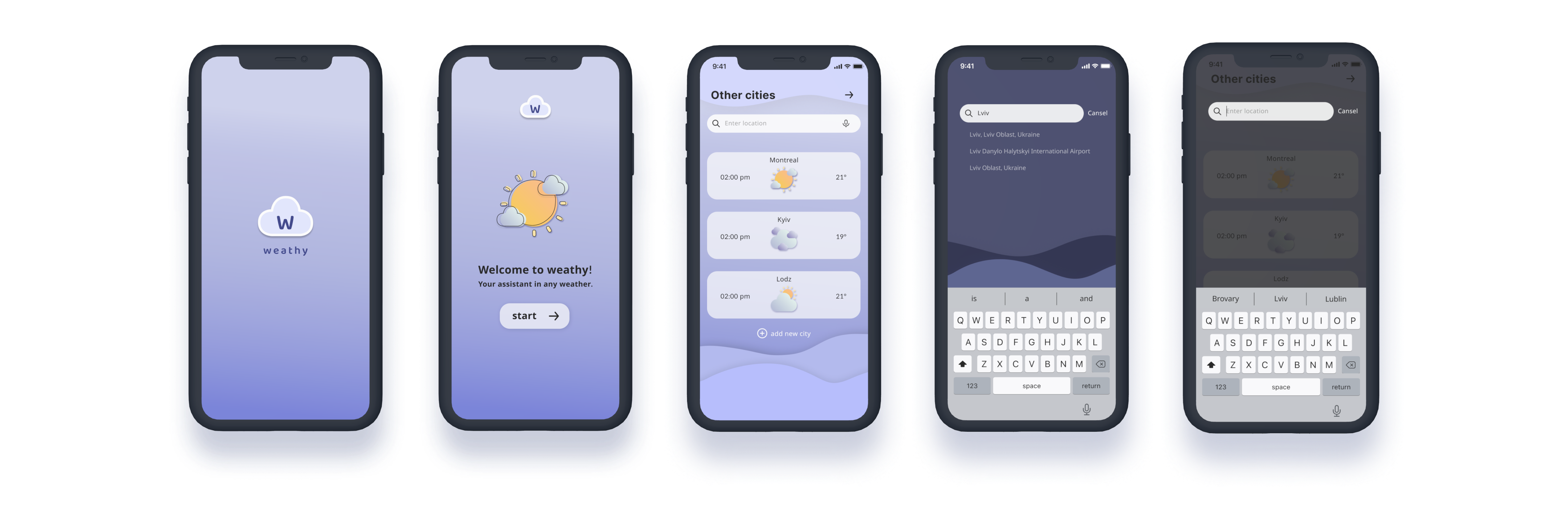
In addition to displaying the weather in the user's current location, the final design of the weather app also allows users to conveniently view weather information for different cities. This feature lets users easily plan their day, whether at home or traveling. To make the search process more efficient, the app includes hints that help users quickly find the city they are looking for. As users type in the search bar, the app provides suggestions for cities that match the search term, which saves time and makes the app more user-friendly. Furthermore, the app allows users to save cities for quick reference, which is especially useful for those who travel frequently or have family and friends in different locations. Users can save their favorite cities to a list, making it easy to switch between locations and check the weather in each city.
Сlothes generator

The program's key feature is its ability to generate a list of clothes that are comfortable for a given weather condition. This feature has been designed to be gender-neutral and suitable for all users. To ensure the program generates a comprehensive and personalized list of clothes, the user will be prompted to enter specific details such as their gender, age, and personal preferences. For instance, users can indicate whether they prefer to wear dresses, pants, or shorts in warm weather, or whether they prefer layers or heavy coats in cold weather. The program will then generate a tailored list of comfortable clothing options based on the user's input. The list may include clothing items such as t-shirts, shorts, skirts, jeans, and jackets, among others. To ensure inclusivity, the program will avoid using gender-specific terms like "men's" or "women's" clothing, and instead use general terms that are inclusive to all users.
What I have learned
Creating successful products requires a combination of strategies and approaches that enable designers to develop products that are effective, user-friendly, and meet the needs of their intended audience. One essential step in this process is to listen to user feedback. Even if designers already have an idea of what issues exist in the project, user feedback can provide invaluable insights that allow designers to focus on the nuances and prioritize the issues that require attention. This approach ensures that the product meets the needs and preferences of its users.

Another important strategy is to apply systems thinking in the design process. This approach involves considering the product as part of a larger system, rather than individual parts, and understanding how each component interacts with the others. By taking a holistic approach, designers can identify potential problems and develop solutions that are more efficient and effective. This strategy allows designers to create products that are not only effective but also flexible and adaptable.

Creating simple and convenient solutions is always a challenging task. However, systematic thinking can speed up the process. This approach involves breaking down complex problems into smaller components and analyzing each one to develop simple, intuitive solutions. By breaking down complex problems into smaller, more manageable parts, designers can create products that are easy to use and understand.

Finally, it's essential to view mistakes as part of the design process. Making and correcting mistakes is a natural part of refining and improving products. By embracing mistakes, designers can learn from their experiences and use this knowledge to improve the product. This approach ensures that designers continue to develop products that are effective, user-friendly, and meet the needs of their intended audience.